Hinglish AI Chat — Chat Like You Text
Hinglish AI chat on Kirdaar AI means characters reply the way you text: Hindi mixed with English, written in Roman letters — “Arre yaar, kya scene hai?” Pick a character, choose Hinglish, and just talk.
Characters to try
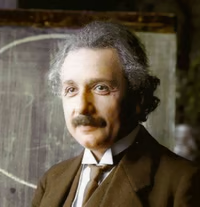





Chat the way India actually texts
Most of us don't text in pure Hindi or pure English. We text in Hinglish — "kal exam hai, tension ho rahi hai". Kirdaar AI characters can reply exactly like that: Hindi sentence structure, English words where they fit, and Roman letters only.
Why Hinglish feels more natural
- Faster to read on a phone than Devanagari for many people
- Sounds like a friend, not a textbook or a translation
- No keyboard switching — type the way you already type
Try these with any character
- "Mujhe relativity simple words mein samjhao"
- "Ek mystery do, main solve karta hoon"
- "Startup idea hai, honestly batao kaisa hai"
Switch any time
Set Hinglish for the whole app or for one chat. Want Devanagari instead? Use Hindi AI chat. Characters keep their personality in every language.
Frequently asked questions
What is Hinglish AI chat?+
Chatting with an AI character that replies in Hinglish — Hindi mixed with English, written entirely in Roman (English) letters.
Will the character switch to Devanagari?+
No. In Hinglish mode characters stay in Roman script. Choose Hindi if you want Devanagari.
Can I use Hinglish for just one chat?+
Yes. Set the reply language inside a chat's settings; your app language stays the same.